A home for every project.
Switch projects and the right sessions come with you. View everything together whenever you need the full picture.
termus 04portfolio 02View all projects
 termus.Get Termus
 THE AGENT TERMINAL
Codex, Claude, and your favorite shell in one focused desktop workspace. Open a project. Find your flow.
$14 once. Yours to keep.
Choose a project, open a session, and type into the terminal. Try ls, mkdir, or a prompt for Codex and Claude.
 termus.
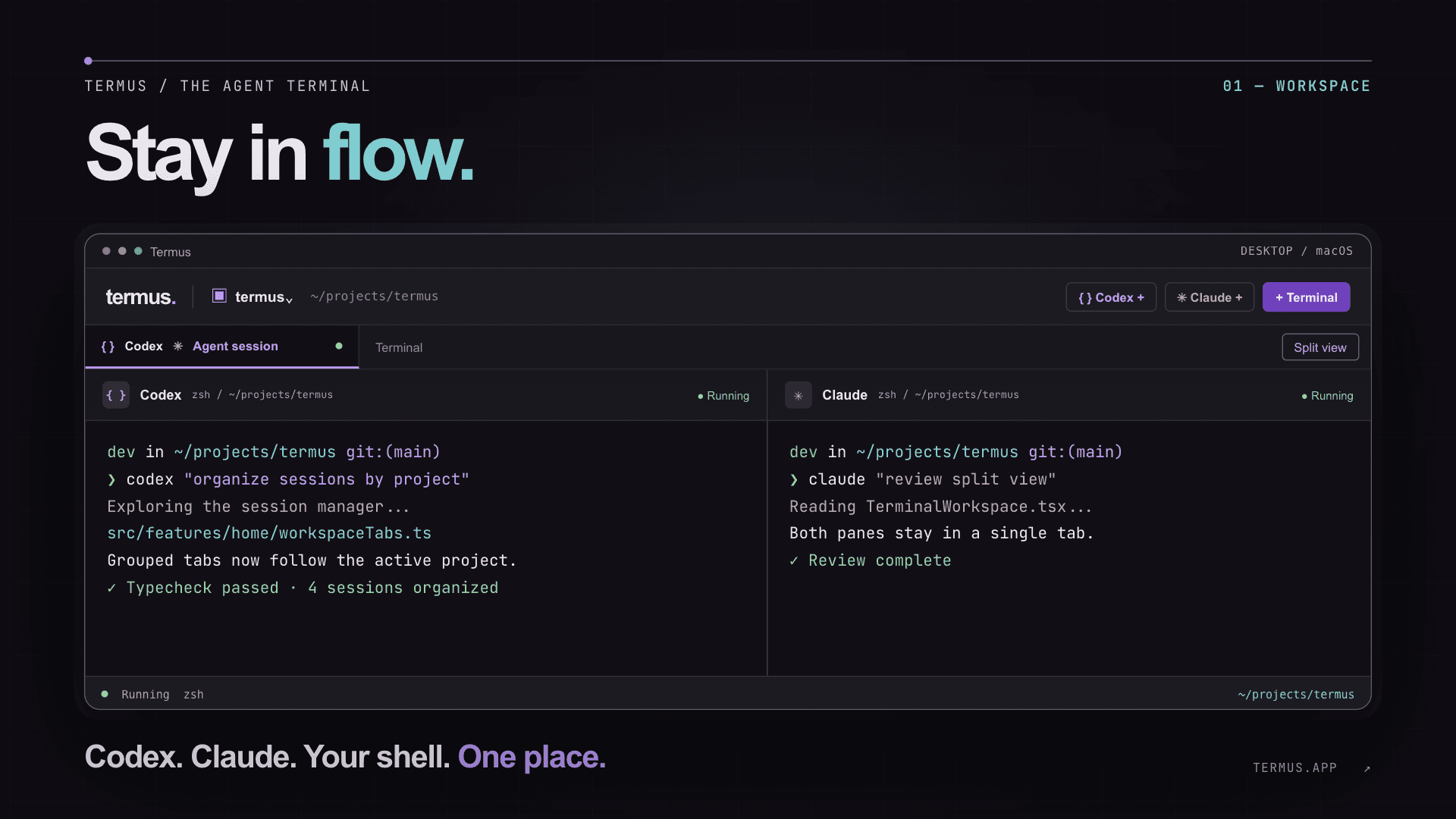
dev in ~/projects/termus git:(main)
❯ codex "organize sessions by project"
Exploring the session manager...
src/features/home/workspaceTabs.ts
Grouped tabs now follow the active project.
✓ Typecheck passed · 4 sessions organized
dev in ~/projects/termus git:(main)
❯ claude "review split view"
Reading TerminalWorkspace.tsx...
Both panes stay together in a single tab.
Suggestion: keep pane controls close to context.
✓ Review complete
BUILT AROUND YOUR WORK
Agents move fast. Your workspace should make it easy to follow the work, keep context close, and pick up again tomorrow.
Switch projects and the right sessions come with you. View everything together whenever you need the full picture.
Put Codex, Claude, and your shell side by side. Resize your panes while keeping the whole split in one tab.
Real PTY behavior, ANSI color, Unicode, and your existing prompt theme. Zsh, Bash, Fish, PowerShell, and more.
A CLOSER LOOK
Codex and Claude can share one tab. The split grows with your session, while each pane keeps its own context.
A BETTER HOME FOR THE COMMAND LINE
Termus runs the Codex and Claude CLIs installed on your computer. Keep the commands you know, with a clearer place to run them.
GO DEEPER
Try the simulated shell below: type commands, open an agent, launch a third pane, and move between projects. On desktop, resize panes by dragging the divider.
Get the app termus.dev in ~/projects/atlas git:(main)
❯ pwd
/projects/atlas
❯ npm run build
✓ Build complete
SIMPLE PRICING
One price for the app. Your Codex and Claude accounts stay yours.
One-time payment. No recurring Termus fee.
Codex and Claude subscriptions, if needed, are purchased separately.
GOOD TO KNOW
Termus opens the CLIs installed on your machine. Their accounts and usage are separate from the Termus purchase.
Yes. Termus loads your shell configuration. If you have no prompt theme, it provides a clean fallback.
Each project shows its own sessions. You can choose “View all” at any time without stopping the others.